JAPAN · TOKYO AND KYOTO
A Japan trip itinerary, made on your phone
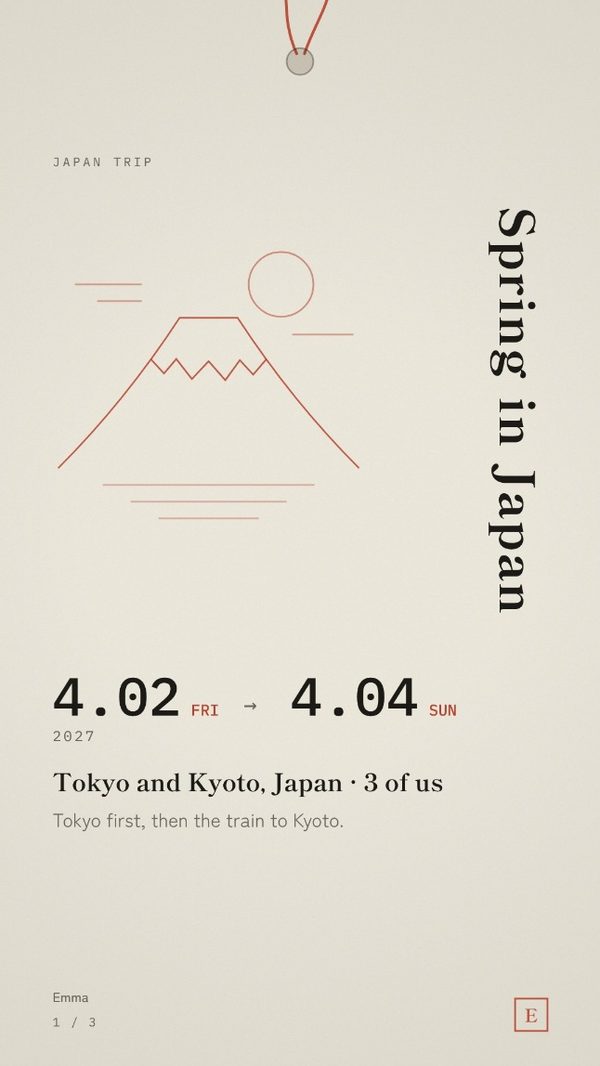
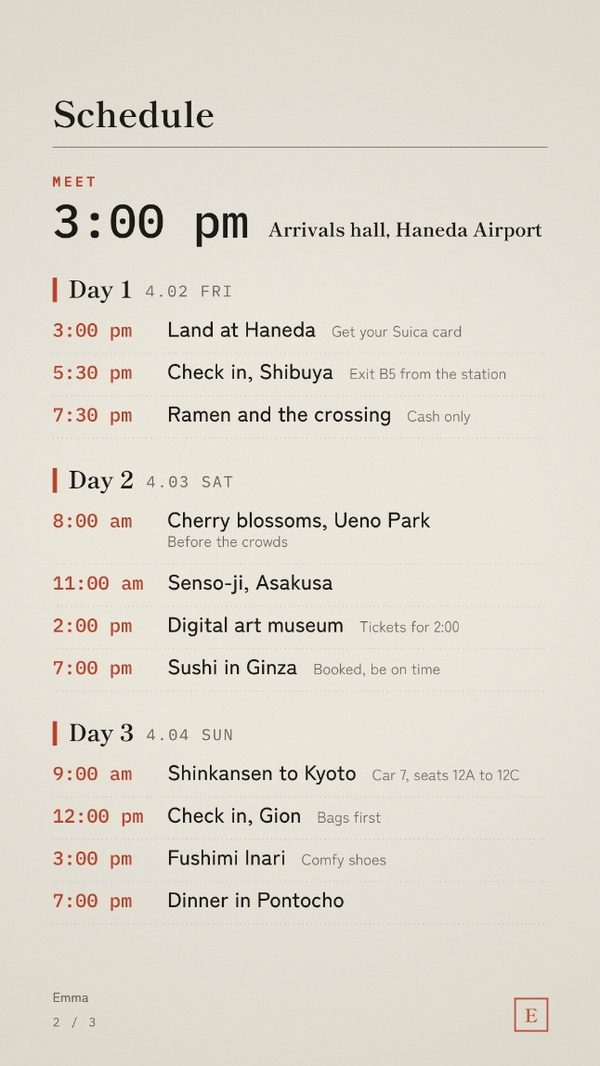
Tokyo first, then the train to Kyoto. Type your days, your train car and seats, and the station exit, and send it to your travel group as images.
The sample inside
This is what the template opens with. The names and plans are made up; replace every line with yours.
Spring in Japan
Tokyo first, then the train to Kyoto.
Day 1FRI
Day 2SAT
Day 3SUN
WHAT TO PACK
- Comfortable walking shoes
- Your passport
- A coin purse
- A small towel
- A pocket Wi-Fi or eSIM
GOOD TO KNOW
- Load your Suica card at the airport
- Shinkansen: car 7, seats 12A to 12C
- Sushi on Day 2 is booked, be on time
- Carry some cash for small shops
- Questions? Text Emma
COSTS
$1,850 each
Flights, hotels and the train.
Send your share to Emma by February 1.
Before you send it
- Write the station exit next to the hotel, like “Exit B5”. Big stations have dozens of exits.
- Put the bullet train's car and seat numbers on the schedule line, so nobody opens an app on the platform.
- Small restaurants and shops often take cash only. Add “carry some cash” to the notes.
How it works
Questions
Do I need Canva or an app?
No. It opens in the browser on your phone or computer. There is no account to make.
What do I get?
A PDF with your private link to the editor. Type your plans, pick one of five colours, add an initial for the seal, and save the pages as phone-sized images (1080 × 1920): a cover, the schedule, and a page of what to pack, notes and costs.
Can I change it later?
Yes. It stays saved in that browser on that device. Change a line and save the images again.
Is what I type uploaded anywhere?
No. Your plans stay on your device.
Is it only for the place in the sample?
No. The sample is a starting point. Replace every line with your own city, dates and plans.
Can I print it?
It is made for phone screens, not for print.
Other editions
- Birthday Weekend Itinerary
- Paris Trip Itinerary
- Italy Trip Itinerary
- Bachelorette Weekend Itinerary
- Nashville Bachelorette Itinerary
- Scottsdale Bachelorette Itinerary
- Miami Bachelorette Itinerary
- Las Vegas Bachelorette Itinerary
- New Orleans Bachelorette Itinerary
- Wedding Weekend Itinerary
- Wedding Day Timeline
- Christmas Itinerary
- Girls Trip Itinerary
- Ski Trip Itinerary
- New Year's Eve Itinerary
- Holiday Party Timeline
- Galentine's Weekend Itinerary
- Valentine's Weekend Itinerary